Digital Declutter 2026: Streamline Your Online Life with This 3-Step Guide

In our increasingly interconnected world, the phrase "digital clutter" has become as common as "physical clutter." Our digital lives, once a simple extension of our physical existence, have now exploded into a vast, often overwhelming, universe of files, emails, apps, and social media notifications. If you’ve ever felt buried under a mountain of unread emails, lost in a maze of disorganized cloud storage, or overwhelmed by constant digital pings, you’re not alone. The relentless tide of digital information can be exhausting, impacting our productivity, mental well-being, and even our focus. The good news is that just like a physical space, your digital world can be decluttered, organized, and optimized for efficiency and peace of mind. This comprehensive digital declutter guide is designed to help you achieve a streamlined online life by 2026, transforming your digital chaos into calm.
Why is a digital declutter so crucial now? The sheer volume of digital content we generate and consume continues to grow exponentially. From work documents and personal photos to streaming services and endless social media feeds, our digital footprint expands daily. Without a proactive approach to managing this influx, we risk digital burnout, decreased productivity, and a pervasive sense of being constantly "on." By embracing a systematic digital declutter guide, you’re not just tidying up; you’re reclaiming your time, focus, and mental energy. You’re setting yourself up for a more intentional and less distracted future. This guide will walk you through a practical, three-step process to achieve lasting digital organization, ensuring that by 2026, your online life is a source of empowerment, not stress.
Imagine a digital world where finding files is effortless, your inbox is a space of clarity, and your social media interactions are intentional and positive. This isn’t a pipe dream; it’s an achievable reality with consistent effort and the right strategies outlined in this digital declutter guide. We’ll delve into actionable steps, tools, and mindsets that will empower you to take control of your digital environment. From tackling the behemoth of digital files to conquering email overload and mastering your online presence, each step is designed to build upon the last, leading you towards a more minimalist, efficient, and joyful digital existence. Let’s embark on this journey to a cleaner, more focused digital life together.
Step 1: Taming the Digital Jungle – Files, Photos, and Cloud Storage
The first and often most daunting aspect of any digital declutter guide is confronting the vast wilderness of our digital files. Over years, we accumulate countless documents, photos, videos, and downloads, often scattered across multiple devices, cloud services, and external drives. This disarray leads to wasted time searching for crucial information, duplicate files eating up precious storage space, and the nagging fear of losing valuable memories. The goal of this step is to establish a robust, intuitive, and sustainable system for all your digital assets.
A. The Grand Digital Inventory: What Do You Have?
Before you can organize, you need to know what you’re working with. This involves a comprehensive inventory of all your digital storage locations. Think of it as mapping out your digital jungle. List every device (computers, smartphones, tablets), every cloud service (Google Drive, Dropbox, OneDrive, iCloud), and any external hard drives or USB sticks. This might seem tedious, but it’s a critical foundation for any effective digital declutter guide.
- Computers: Check your Desktop, Downloads folder, Documents, Pictures, Videos, and Music folders. Don’t forget the Recycle Bin/Trash!
- Smartphones/Tablets: Explore your camera roll, downloaded files, and app-specific storage.
- Cloud Storage: Log into all your cloud accounts and get a sense of the volume of data stored there.
- External Drives: Connect and browse any external storage devices you own.
During this inventory phase, resist the urge to start deleting immediately. The primary objective is to gain a clear understanding of the scope of your digital assets. This bird’s-eye view will inform your strategy for the next phases of this digital declutter guide.
B. The "Keep, Delete, Archive" Strategy for Files
Now comes the decision-making. For each file, apply the "Keep, Delete, Archive" rule. This is the core of any effective digital declutter guide when it comes to files.
- Keep: Files that are actively used, legally required, or hold significant sentimental value that you frequently access.
- Delete: Duplicates, outdated versions, temporary files, spam downloads, and anything you genuinely no longer need or want. Be ruthless! If you haven’t touched it in years and it holds no legal or sentimental value, chances are you won’t miss it.
- Archive: Files that you need to retain for legal, historical, or sentimental reasons but don’t access regularly. These can be moved to a dedicated archive folder or an external drive.
Pro-Tip: When dealing with photos, consider using a "star rating" system or creating a "Best Of" folder for your absolute favorites. This makes sharing and reminiscing much easier. For documents, ask yourself: "Will I need this within the next year?" If not, consider archiving or deleting.
C. Establishing a Logical Folder Structure
Once you’ve pared down your files, it’s time to build a robust and intuitive folder structure. This is where your digital declutter guide truly starts to shine in terms of efficiency. A well-organized system means you spend less time searching and more time doing.
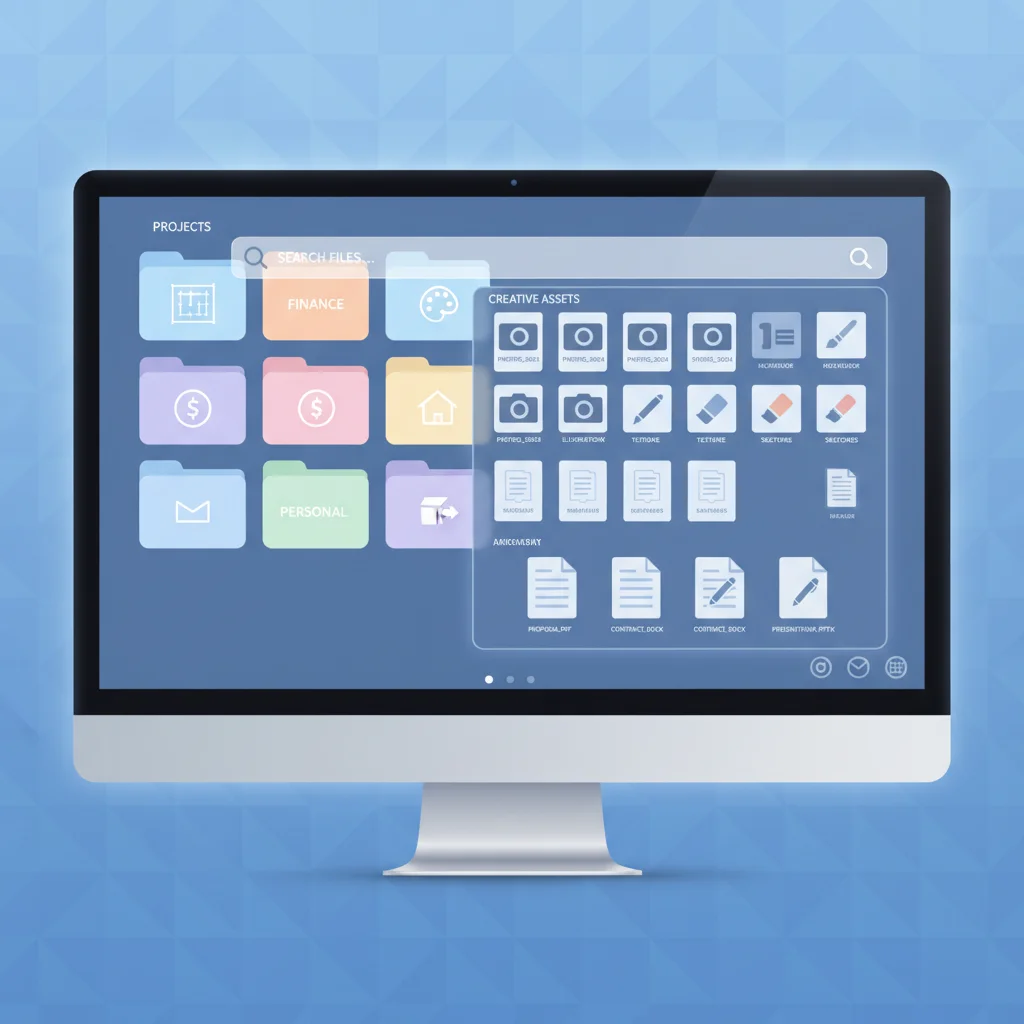
- Top-Level Folders: Start with broad categories like "Work," "Personal," "Finances," "Photos," "Learning," "Creative Projects."
- Subfolders: Within these, create more specific subfolders. For example, under "Personal," you might have "Travel," "Health," "Home." Under "Work," you could have "Clients," "Projects," "Administration."
- Consistent Naming Conventions: This is paramount. Decide on a naming convention and stick to it. Examples: "YYYY-MM-DD_ProjectName_DocumentType" (e.g., "2023-10-26_WebsiteRedesign_MeetingNotes") or "LastName_FirstName_DocumentTitle."
- Centralized Cloud Storage: Choose one primary cloud storage solution (e.g., Google Drive, Dropbox, OneDrive) and consolidate as much as possible there. This allows for easy access from any device and simplifies backup.
Remember, the best system is the one you’ll actually use. Keep it simple and logical to your own thought process. Regularly review and adjust your folder structure as your needs evolve. This proactive maintenance is a key component of a successful digital declutter guide.
Step 2: Conquering the Communication Overload – Email, Notifications, and Apps
Email inboxes, relentless notifications, and an ever-growing array of apps are often the biggest culprits of digital overwhelm. This section of our digital declutter guide focuses on reclaiming your attention and streamlining your digital communication channels. The goal is to reduce distractions, improve focus, and ensure that your digital tools serve you, rather than the other way around.
A. Mastering Your Inbox: The "Zero-Inbox" Approach
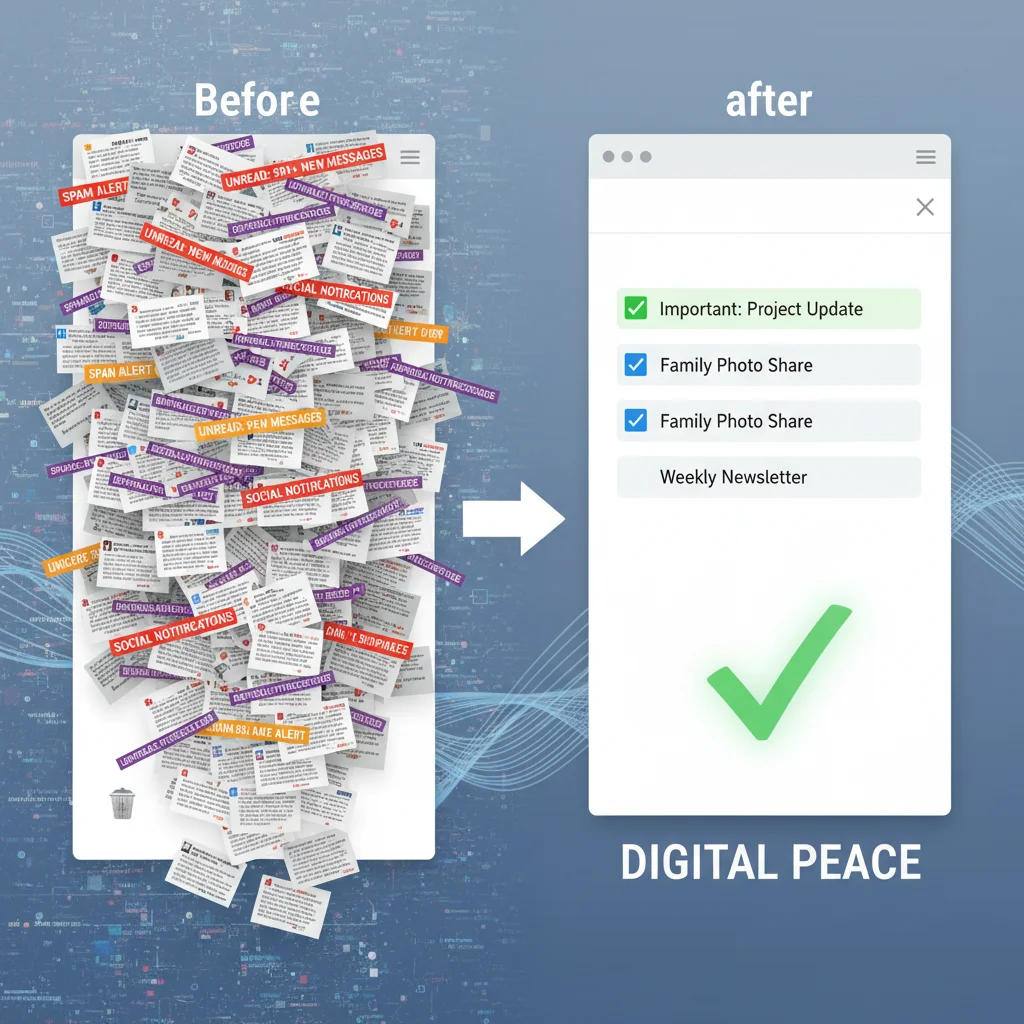
The concept of "Inbox Zero" might sound like an impossible dream, but it’s a powerful methodology for managing email more effectively. It doesn’t mean having zero emails *permanently*, but rather processing each email as it arrives so your inbox is empty or near-empty at the end of each day or processing session. Here’s how to integrate this into your digital declutter guide:
- Unsubscribe Relentlessly: This is the first and most impactful step. For every promotional email or newsletter you don’t actively read, hit that "unsubscribe" button. Many email clients also offer bulk unsubscribe tools.
- The 4 D’s of Email Management:
- Delete: If you don’t need it, delete it immediately.
- Do: If it takes less than two minutes to respond or act on, do it now.
- Delegate: If it’s something someone else can handle, forward it.
- Defer: If it requires more time or thought, move it to a "To Do" folder or add it to your task list.
- Create Smart Folders/Labels: Set up rules to automatically filter emails from specific senders or with certain keywords into designated folders (e.g., "Receipts," "Newsletters," "Project X"). This keeps your primary inbox cleaner.
- Schedule Email Time: Instead of constantly checking your email, designate specific times during the day to process your inbox. This minimizes interruptions and allows for focused work.
By implementing these strategies, your inbox will transform from a source of anxiety into a manageable communication hub, a key achievement in your digital declutter guide journey.
B. Taming Notifications: Reclaiming Your Focus
Notifications are designed to grab your attention, often pulling you away from important tasks. While some are essential, many are simply distractions. A critical part of any digital declutter guide is regaining control over these digital pings.
- Review App Permissions: Go through your smartphone and computer settings and review which apps have permission to send notifications. Be selective.
- Disable Non-Essential Notifications: Turn off notifications for social media, games, news apps, and any app that doesn’t require immediate attention. Consider keeping notifications on only for direct communication (calls, texts from key contacts) or critical work alerts.
- Utilize "Do Not Disturb" Modes: Schedule "Do Not Disturb" times on your devices, especially during work hours, meetings, or before bed.
- Batch Notifications: Some apps allow you to receive notifications in batches rather than immediately. Explore these options to reduce constant interruptions.
The goal is to create a digital environment where you choose when to engage, rather than being constantly interrupted. This empowers you to maintain focus and significantly enhances your productivity, a vital step in this digital declutter guide.
C. App Audit: Less is More
How many apps do you have on your phone or computer that you rarely, if ever, use? These unused apps consume storage, can run in the background, and contribute to mental clutter. An app audit is an essential part of a thorough digital declutter guide.
- Delete Unused Apps: Be honest with yourself. If you haven’t used an app in months, delete it. You can always re-download it if you truly need it again.
- Organize Remaining Apps: Group similar apps into folders on your home screen or desktop. Prioritize essential apps on your primary screen for quick access.
- Review App Permissions: Just like notifications, check the permissions for your remaining apps. Do they really need access to your location, contacts, or camera? Revoke unnecessary permissions to enhance privacy and security.
- Consider "Digital Detox" Apps: If you struggle with excessive screen time, consider using apps designed to help you monitor and reduce usage, or even block distracting apps during specific periods.
A lean, well-organized app ecosystem means faster devices, less distraction, and a clearer digital workspace. This proactive approach to app management is a powerful element of your ongoing digital declutter guide strategy.
Step 3: Curating Your Online Presence – Social Media, Subscriptions, and Digital Habits
Our online presence extends far beyond our devices; it encompasses our interactions on social media, the websites we frequent, and the digital habits we’ve formed. This final step in our digital declutter guide addresses these broader aspects, aiming to create a more intentional, positive, and secure digital footprint by 2026.
A. Mindful Social Media Engagement
Social media can be a powerful tool for connection and information, but it can also be a significant source of distraction, comparison, and negative emotions. Curating your social media experience is vital for mental well-being and productivity.
- Unfollow/Unfriend/Mute: Go through your social media feeds. Unfollow accounts that don’t add value, make you feel bad about yourself, or are simply noise. Mute people you don’t want to see but can’t unfollow for social reasons.
- Limit Your Platforms: Do you really need to be active on every single platform? Focus your energy on the ones that genuinely serve your personal or professional goals. Deactivate or delete accounts on platforms you rarely use.
- Set Time Limits: Most smartphones and many social media apps offer features to set daily time limits. Utilize these to prevent endless scrolling.
- Be Intentional: Before opening a social media app, ask yourself: "Why am I opening this? What do I hope to gain?" This small act of mindfulness can significantly reduce mindless consumption.
- Review Privacy Settings: Regularly check and update your privacy settings on all social media platforms to control who sees your information.
By being more intentional about your social media use, you transform it from a time sink into a curated experience that supports your well-being, a crucial element of this digital declutter guide.
B. Subscription Audit: Digital Drain or Digital Delight?
From streaming services to software subscriptions and online newsletters, we often accumulate digital subscriptions without realizing their cumulative cost or the mental load they impose. A subscription audit is a key part of financial and digital wellness within this digital declutter guide.
- List All Subscriptions: Use a spreadsheet or an app to list every recurring digital subscription you have. Include the cost, renewal date, and how often you use it.
- Evaluate Value: For each subscription, ask yourself: "Do I use this regularly? Does it provide significant value? Can I get similar functionality for free or at a lower cost elsewhere?"
- Cancel Unused Subscriptions: Be ruthless. If you haven’t used a streaming service in months or a software tool that’s been replaced by a free alternative, cancel it.
- Consolidate: Can you bundle services or find a single subscription that covers multiple needs?
- Review Newsletters: Just like emails, unsubscribe from newsletters that no longer interest you or simply add to your digital noise.
Eliminating unnecessary subscriptions frees up both financial resources and mental bandwidth, contributing to a lighter digital footprint, a core principle of this digital declutter guide.
C. Cultivating Healthy Digital Habits for 2026 and Beyond
A one-time digital declutter is a great start, but sustainability requires cultivating healthy long-term habits. This final point in our digital declutter guide is about embedding these practices into your daily routine.
- Regular Digital Maintenance: Schedule a weekly or monthly "digital hygiene" session. This could be 15-30 minutes to clear your downloads folder, unsubscribe from new spam, or delete old screenshots.
- Backup Routinely: Implement a consistent backup strategy for all essential files. Use a combination of cloud storage and external hard drives to ensure your data is safe.
- Practice Digital "Fasting": Experiment with short periods away from screens – an hour before bed, a "no-phone" dinner, or even a full digital detox weekend.
- Be Mindful of New Sign-ups: Before signing up for a new service or downloading an app, pause and consider if you truly need it and if it aligns with your minimalist digital goals.
- Educate Yourself on Digital Security: Regularly update passwords, use two-factor authentication, and be aware of phishing scams. A clean digital life is also a secure one.
By integrating these habits, you ensure that your digital environment remains a source of productivity and peace, not a breeding ground for clutter. This ongoing commitment is the ultimate success factor for any digital declutter guide.
The Path to Digital Clarity by 2026
Embarking on a digital declutter guide is more than just organizing files; it’s a journey towards greater intentionality, reduced stress, and enhanced focus in an increasingly digital world. By systematically addressing your digital files, streamlining your communications, and curating your online presence, you are actively shaping a more positive and productive relationship with technology.
Remember, this isn’t a one-time event but an ongoing process. The digital world is dynamic, constantly evolving, and so too should your approach to managing it. By 2026, with consistent application of the strategies outlined in this digital declutter guide, you can expect to experience:
- Increased Productivity: Less time spent searching for files or being distracted by notifications means more time for meaningful work and activities.
- Reduced Stress and Anxiety: An organized digital space contributes to a calmer mind. The feeling of being overwhelmed by digital chaos will be replaced by a sense of control.
- Improved Focus and Concentration: By minimizing distractions, you’ll find it easier to concentrate on tasks and engage deeply with what truly matters.
- Enhanced Digital Security: A decluttered digital life often means fewer outdated accounts, stronger password hygiene, and a better understanding of your privacy settings.
- More Intentional Online Interactions: Your social media and online subscriptions will reflect your true interests and values, leading to more positive digital experiences.
The future of digital living doesn’t have to be one of endless overwhelm. With this comprehensive digital declutter guide, you have the tools and the roadmap to create a digital environment that supports your best self. Start today, one step at a time, and watch as your digital world transforms into a sanctuary of clarity and efficiency. Your future self in 2026 will thank you for taking control now.